please confirm it is displayed normally after executing the following procedure.
| Directions | |||||||||
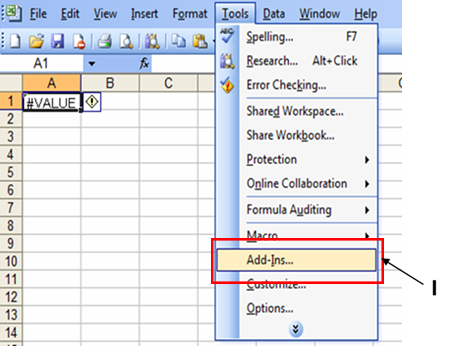
| If an error is displayed like in the A1
cell on Excel, please confirm it is displayed normally after executing the following procedure. |
|||||||||
| I : Click the menu [Tools] - [Add-Ins]. | |||||||||
|
|
|||||||||
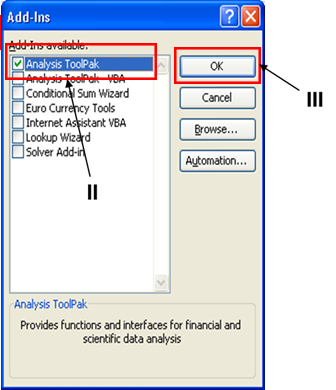
| II : Enable the [Analysis ToolPak] checkbox in the [Add-Ins] dialog. | |||||||||
| III : Click the [OK] button in the [Add-Ins] dialog. | |||||||||
|
|
|||||||||